 DogMate by KalisPro
Spam and raid protection on Discord
DogMate deletes spam, spots raids and helps your mods act fast. It logs joins and leaves, flags new accounts and gives your team moderation commands that write every action to the log.
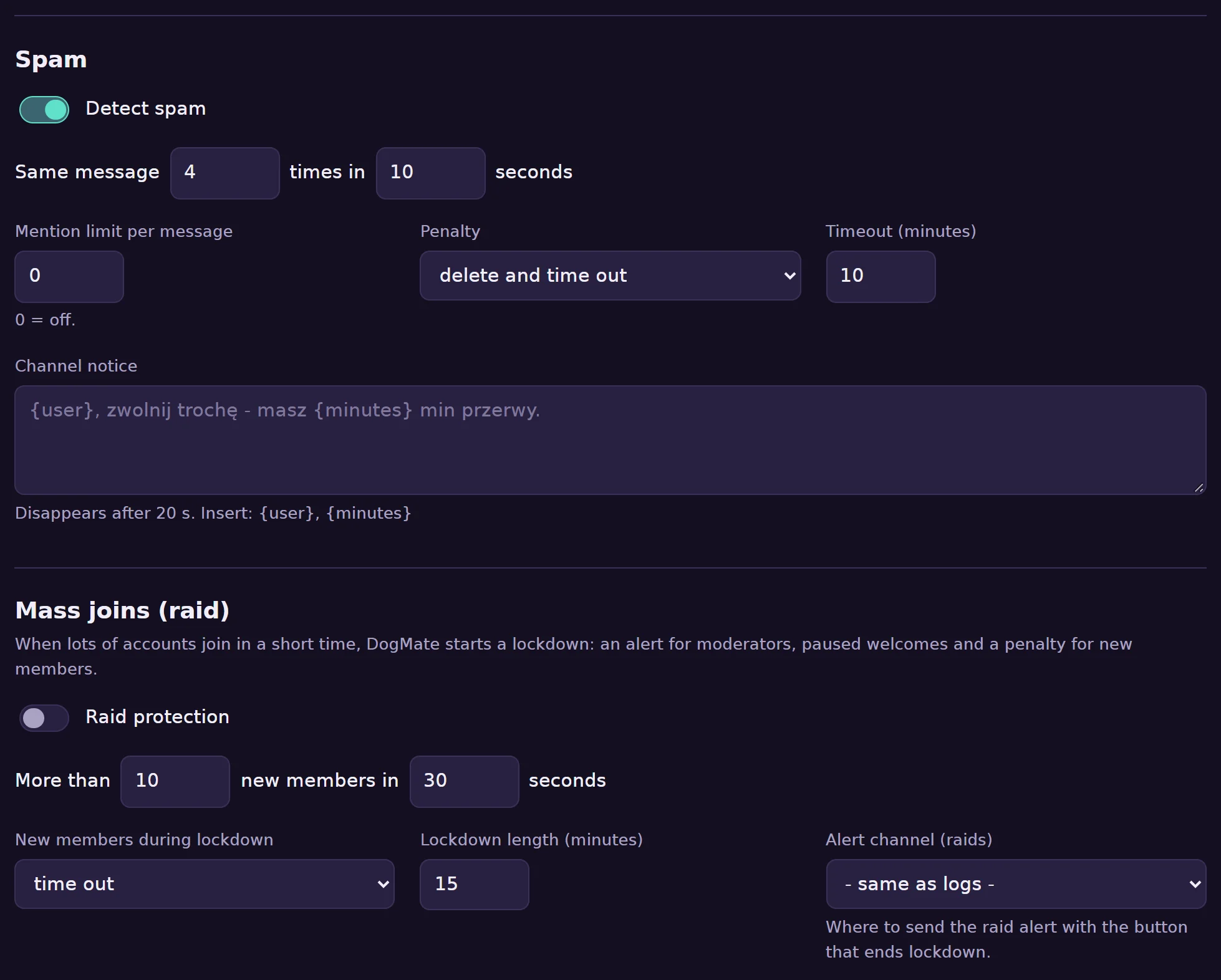
Step by step
- Pick a log channel. In Protection in the dashboard choose a channel for joins, leaves and moderation actions. Accounts younger than a few days are flagged.
- Turn on spam protection. The same message several times within a few seconds, or too many mentions in one message, counts as spam. The bot deletes it and then deletes only, times out or kicks the author, as you choose.
- Turn on raid protection. When many accounts join in a short time (by default 10 within 30 seconds), the bot starts a lockdown: it pauses welcomes, alerts your mods and times out or kicks new members until the lockdown ends.
- Use the mod tools. Every action goes to the log, with the reason.
Moderation commands
/mod timeoutand/mod untimeout,/mod kickand/mod ban,/mod purgedeletes up to 100 recent messages, also from one member only,/mod warn,/mod warningsand/mod clearwarnings.
Permissions the bot needs
Time out members, kick, ban and manage messages. DogMate never asks for administrator.
Common problems
Spam is not detected
Repeated message detection needs the Message Content intent. Message text is checked on the fly and never stored.
The bot cannot time out someone
Discord does not let a bot act on members whose highest role is above the bot's role, or on the server owner.