 DogMate by KalisPro
Verification of new members on Discord
DogMate checks new members before they see the whole server. Verification can be automatic with one button, or manual: new members fill in a short form and your mods accept or reject it.
Before you start
You need a role for verified members, for example @Member, and channel permissions that hide most channels from people without it. Often there is also a role on join, such as @Unverified, set in Welcome. The bot can create both roles for you in the dashboard.
Step by step
- Open Verification in the dashboard and switch it on.
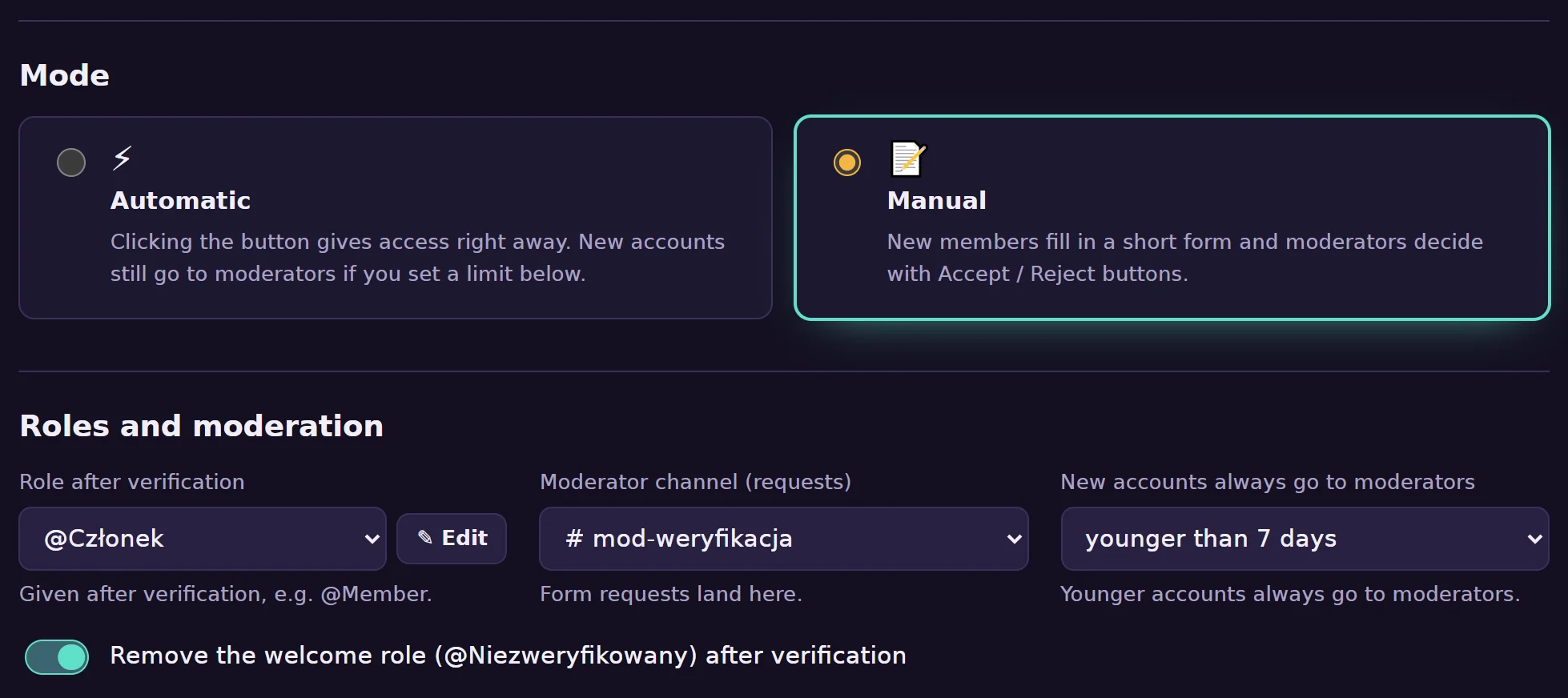
- Pick the verified role. After verification the bot gives this role and can remove the role on join.
- Choose the mode. Automatic: one click on the button is enough. Manual: up to five questions, and the answers go to your mod channel with Accept and Reject buttons.
- Post the button. The button appears under the welcome message, and for people already on the server you can post it in any channel:
/verification post channel:#verify
Minimum account age
Set a minimum account age in days. Accounts younger than that always go to your mods, even in automatic mode, which stops most fresh spam accounts.
Common problems
The verified role is not given
Drag the DogMate role above the verified role in your server settings.
New members still see every channel
Verification does not change channel permissions. Hide channels from @everyone and allow them for the verified role.