 DogMate by KalisPro
Change how welcome and birthday messages look
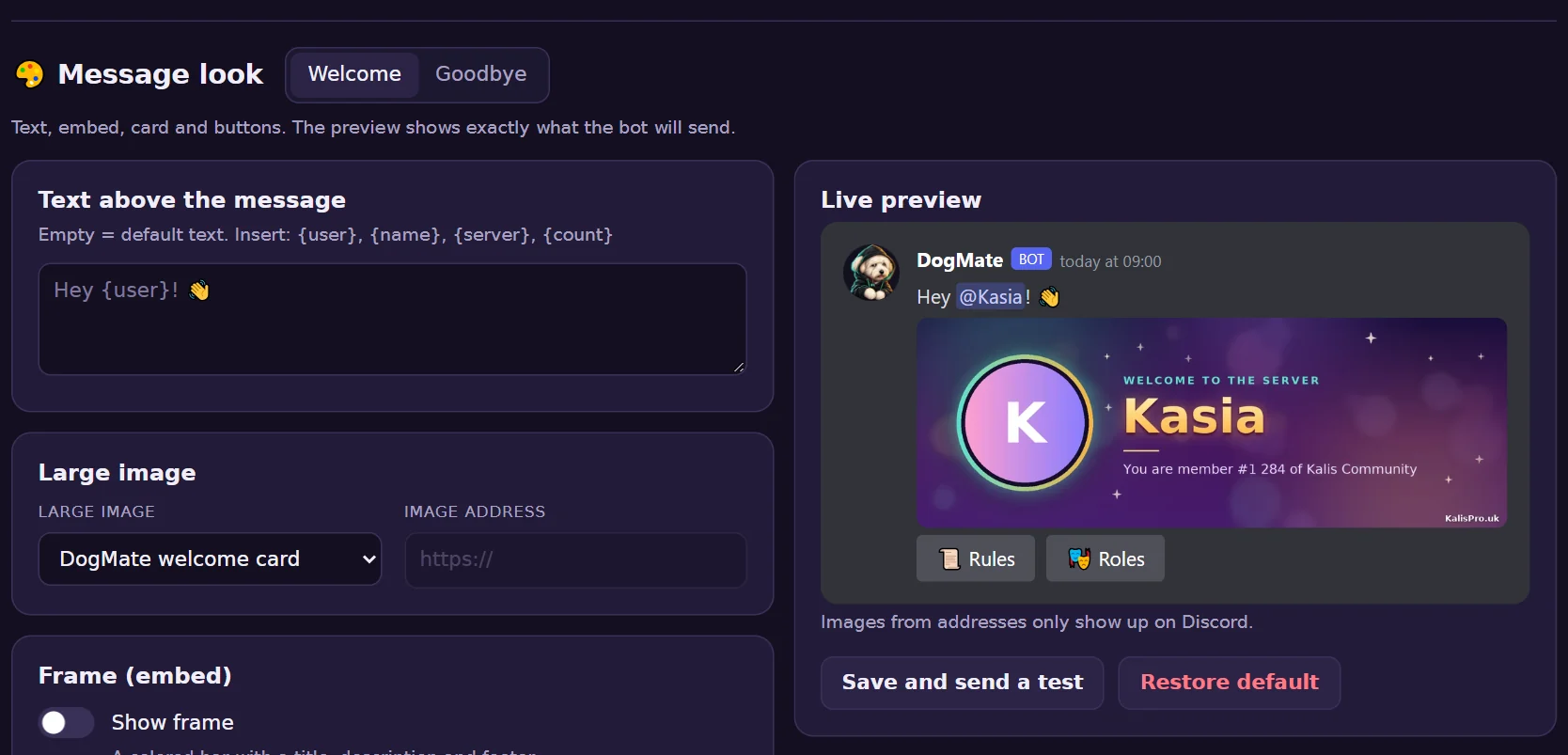
Welcomes, goodbyes and birthday wishes can look just the way you want: plain text or an embed, your colour, the DogMate card or your own image, and up to three link buttons. The live preview shows exactly what the bot sends.
Where to find it
Message look is part of the sections it changes. In the dashboard open Welcome (tabs Welcome and Goodbye) or Birthdays, and scroll to Message look. One save bar saves the section and its look together.
Step by step
- Text above the message. Leave it empty for the default text, or write your own.
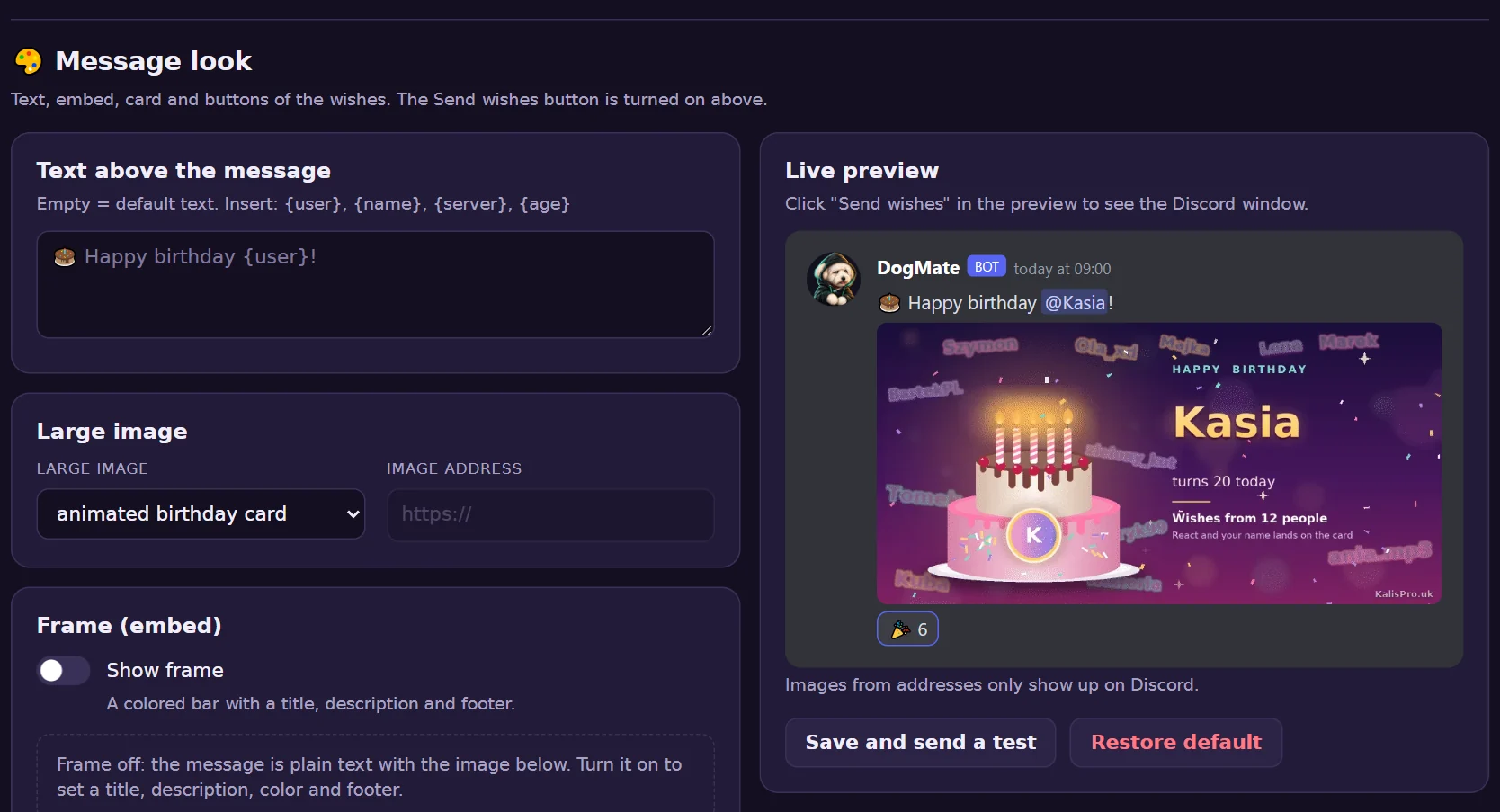
{user}mentions the person,{name}is their name,{server}the server name and{count}the member count (in birthday wishes{age}instead).**bold**and*italic*work, and Enter starts a new line. - Large image. Keep the DogMate card (the animated card for birthdays), use your own image from a link (only in an embed), or no image.
- Embed. Turn on Show frame to add a bar colour, a title, a description, a thumbnail (none, the member's avatar, the server icon or an image from a link) and a footer.
- Your own buttons. Up to three link buttons, for example your website or shop. Rules and Roles buttons for welcomes are set in Welcome, under Buttons under the welcome.
- Test it. Save and send a test posts the message on your server. Restore default brings back the original look.
The preview
The preview is built the same way as the real message: the same text, the same embed and the same order of buttons. Only images from links show up first on Discord.
Common problems
My image doesn't appear
The link must lead straight to an image (ending with .png, .jpg, .gif or .webp) and be public.
The buttons under the welcome are missing
Check the switch Buttons under the welcome in Welcome, and that a channel is set for each button.