 DogMate by KalisPro
An event log on Discord
DogMate writes what happens on your server to a log channel: deleted and edited messages, joins and leaves, roles, bans, timeouts, channels and voice channels. Each of the 30 events has its own switch, channel and colour.
Step by step
- Create a log channel. Best a private one, for example
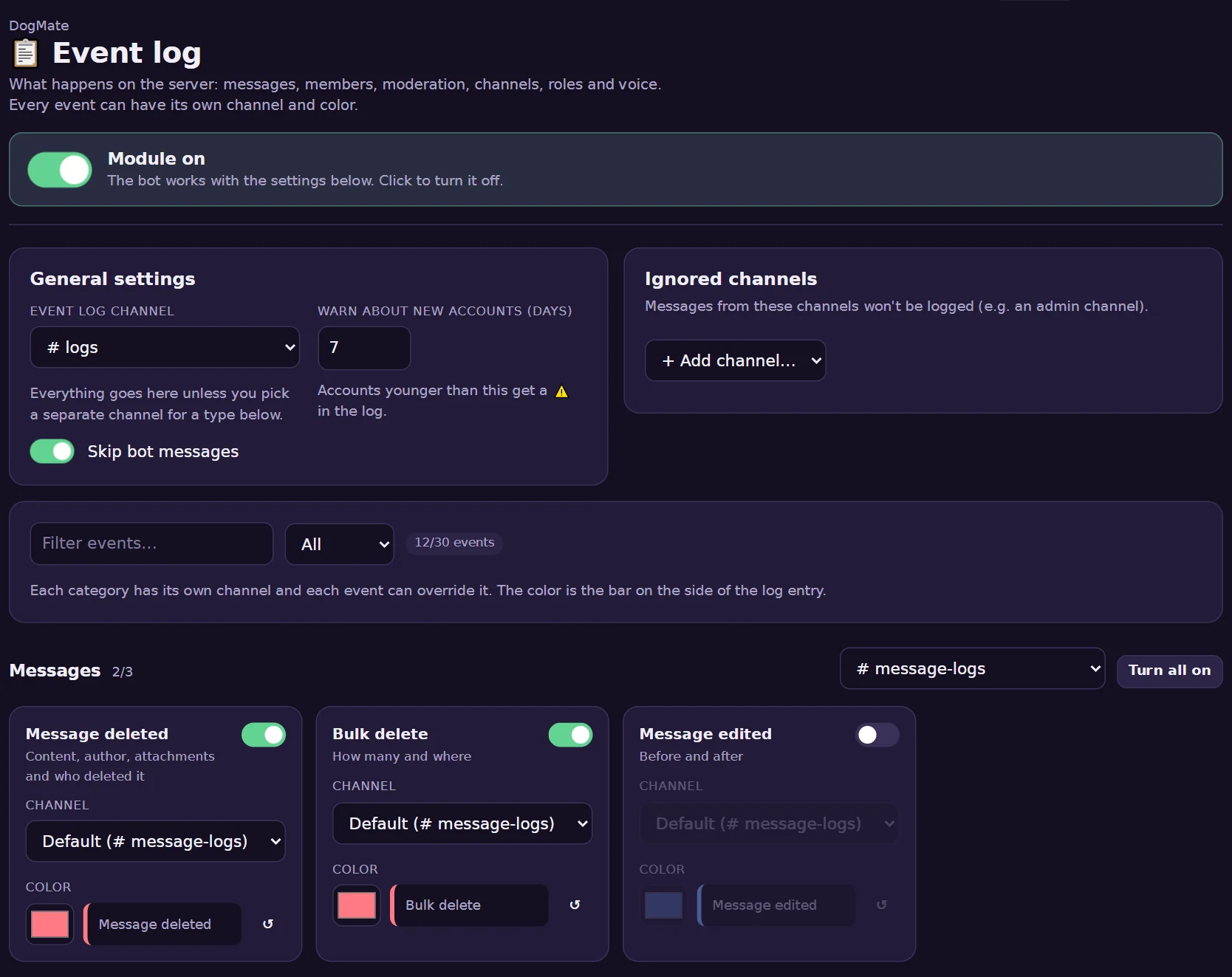
#logs, visible only to your team. The bot needs to send messages and embed links there. - Turn on the event log. In the dashboard open Event log, switch it on and pick the main channel.
- Choose the events. Turn on whole categories or single events. The categories are: messages, members, moderation, channels and threads, roles and server, voice channels.
- Set channels and colours (optional). Each event can go to its own channel and have its own colour, for example messages to
#message-logand moderation to#mod-log.
What goes to the log
- Messages: deleted, edited and bulk deleted, with the content, the author and who deleted it.
- Members: joins with account age (new accounts are flagged), leaves, nicknames, roles and server avatars.
- Moderation: bans, unbans, kicks and timeouts, with the moderator and the reason. The
/modcommands also write every action. - Channels and threads: created, deleted and changed channels, permission changes and threads.
- Roles and server: created, deleted and changed roles, server settings and invites.
- Voice channels: joins, leaves, moves and mic or sound changes.
More settings
- Warn about new accounts: accounts younger than the number of days you set get a ⚠️ in the log.
- Skip bot messages, so the log is not full of bot posts.
- Ignored channels: messages from them never reach the log, for example a channel for the admins.
- A filter in the dashboard shows all events, only the ones turned on or only the ones turned off.
Common problems
The content of a deleted message is unknown
The bot only knows messages it saw while running. For messages from before the last restart the log says the content is unknown.
The log doesn't say who deleted a message
The bot reads that from the server's audit log. It needs the View Audit Log permission, and Discord doesn't record when people delete their own messages.