 DogMate by KalisPro
Self roles and timed roles on Discord
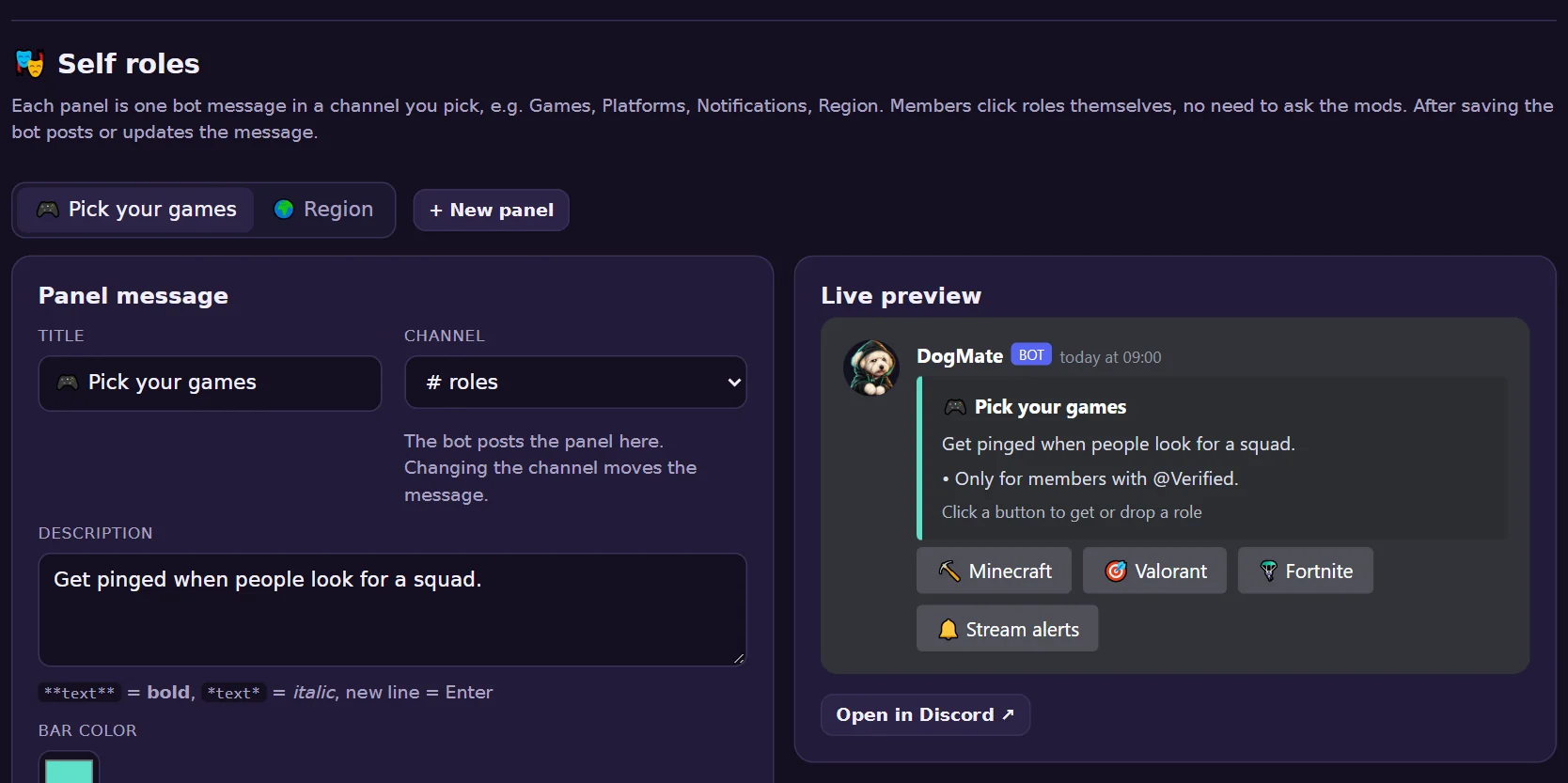
With DogMate members pick their own roles in a panel on your server: games, platforms, notifications or a region. You build the panel in the dashboard and the bot posts it. Roles can also be given for a set time, and the bot takes them back by itself.
What you need
- the roles you want to hand out, for example
@Minecraft,@Valorantor@Stream alerts, - the DogMate role above those roles in your server settings, and the Manage Roles permission.
Step by step
- Turn on Self roles. In the dashboard open Self roles and switch the module on.
- Create a panel. Click + New panel, give it a title, a short description, a colour and the channel where it should appear, for example
#pick-roles. - Add roles. For each role pick an emoji (also your server's own emojis, or paste one) and, if you like, a label. In a menu each role can have a short description.
- Set the rules. Buttons (up to 25) or a dropdown menu; any number of roles, only one (picking a new one swaps the old one) or a limit; optionally a required role, so the panel works only for verified members; and a time, if roles from this panel should expire.
- Save. The bot posts the panel. Every later change edits the same message, so the channel stays clean.
A server can have up to 10 panels. The live preview next to the settings shows the message exactly as members will see it.
What members see
A click on a button gives the role, a second click takes it back. In a menu, selected roles are given and unselected ones are taken back. Every answer is visible only to the person who clicked, for example "Added: @Minecraft".
Timed roles
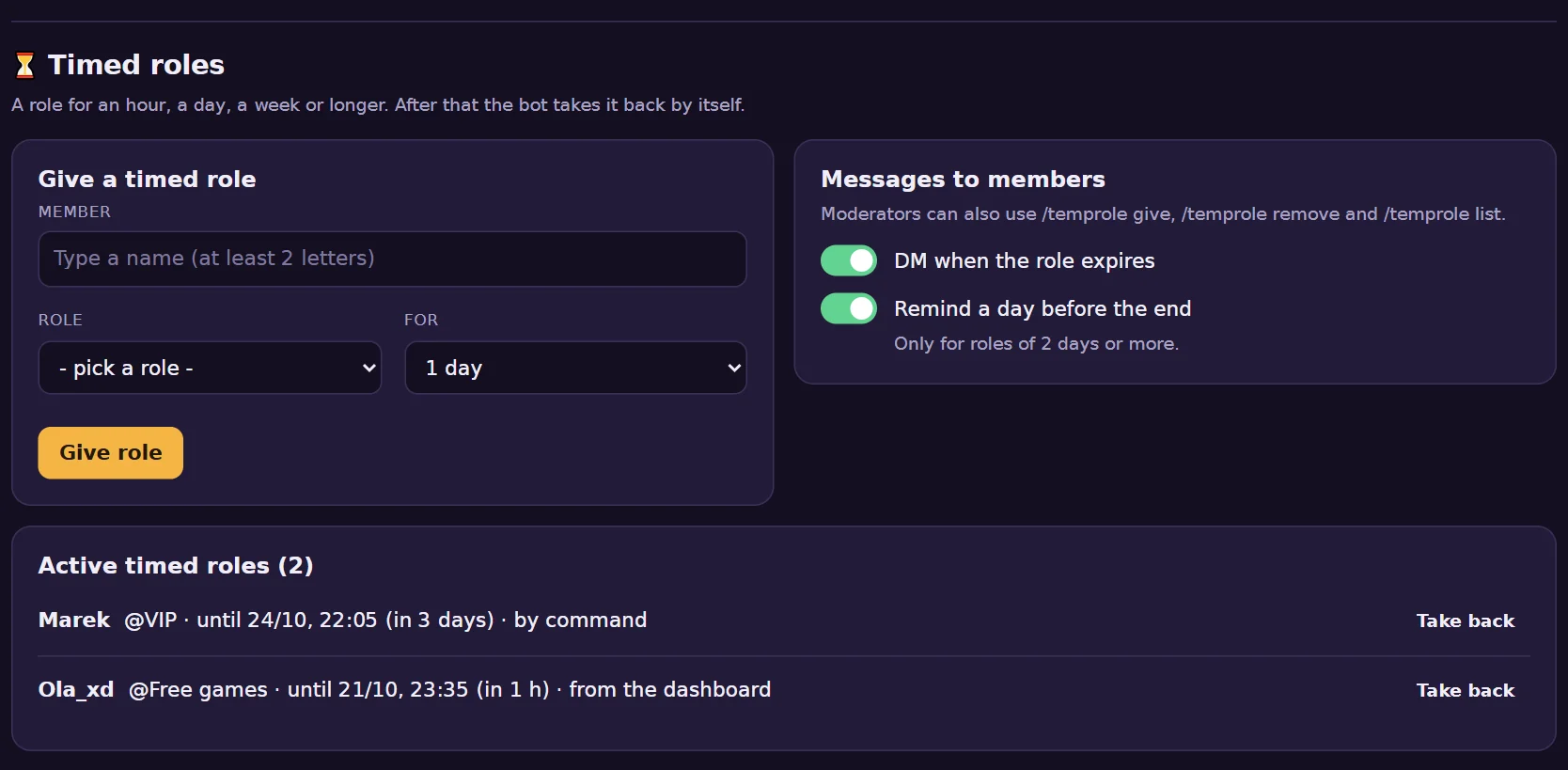
A timed role is given for an hour, a day, a week or your own time, up to a year, and the bot takes it back by itself. You can give one in the dashboard (find the member, pick the role and the time) or with a command:
/temprole give member:@Kasia role:@VIP duration:7d
/temprole remove member:@Kasia role:@VIP
/temprole list
The time can be written as 30m, 2h, 1d, 1w or 1d12h. Optionally the bot sends a DM when the role expires and a reminder a day before, for roles given for at least two days. The dashboard lists all active timed roles with the time left.
Common problems
The button says it can't give the role
Drag the DogMate role above the roles in the panel. The dashboard warns you about such roles before you save.
The panel doesn't show up
Check that the module is on, a channel is picked and the bot can send messages and embed links there.
Someone got a timed role, left and came back
When a member leaves, the timed role is forgotten. After coming back they don't get it again by themselves.